Actionbound Help
Find step-by-step guides and answers to your questions about Actionbound.
Increase the motivation and engagement of players in a group bound by challenging them to compete against each other.
Content
How to
-
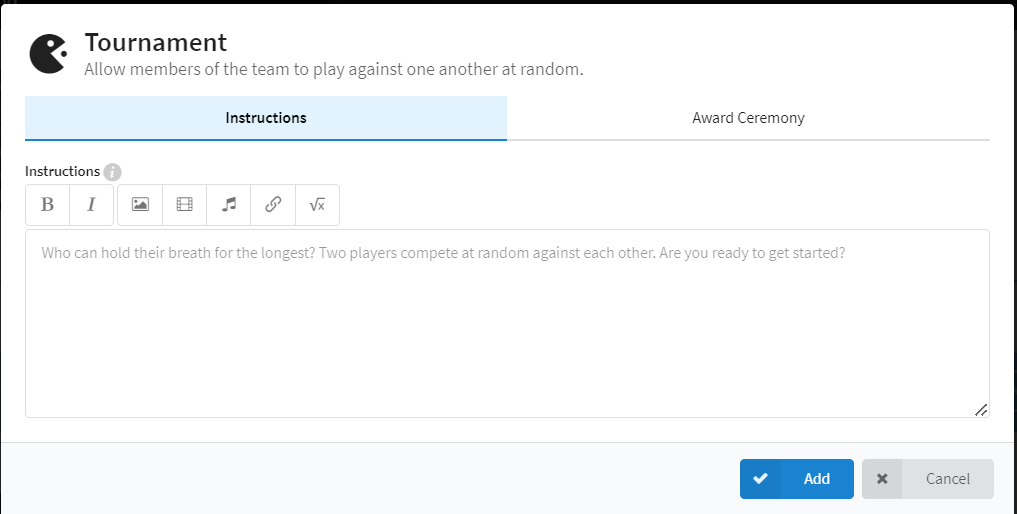
Add the Tournament element to your group bound and enter the task of the tournament in the Instruction text field.
-
In the Winner's honor area, formulate a text that will be displayed once the tournament has been completed in the bound and a:winner:in has been determined.
-
Use the code !!winner!! to directly congratulate the winner(s).
-
In the Bound the tournament appears in the following order: First the players see the instructions of the tournament.
-
In the next step, the software selects two players at random to compete against each other.
-
The winner of the round is marked in the app and competes against other people until a winner of the tournament is determined.
-
Following the tournament, the Winner's Award will appear in Bound.
Note
If there are more players, the tournament does not allow all players to play against each other. Here we work with a wildcard system, because otherwise there would be too many matches.
Example of use
The tournament element allows users to create a competitive scenario within a bound. This can be helpful to increase the motivation of the players in a group and to enable exchange and communication within the group. A tournament is also fun, adds variety, and loosens up situations.
- Integrate analog games: If the setting and environment allows, provide your players with analog games. For example, they could compete in throwing games or simple 1-on-1 games like sink ships or tic-tac-toe.
- Short contests: Who can hold their breath longer? Who can jump further? Who can run around the next tree faster? On your mark, get set!
Caution!
The tournament only works well with a group bound, because several players are registered in the app and can play against each other. This is the only way for the software to choose from several names who should play against each other. In a single bound, the name of the player(s) would be displayed twice..
Start your Adventure today
Create mobile adventures and interactive guides for smartphones and tablets. Take people on real-world treasure hunts and guided walks.
Start your free trialSite map
- App Store (iOS)
- Play Store (Android)